How to enter the Stake US promo code RUM when creating an account
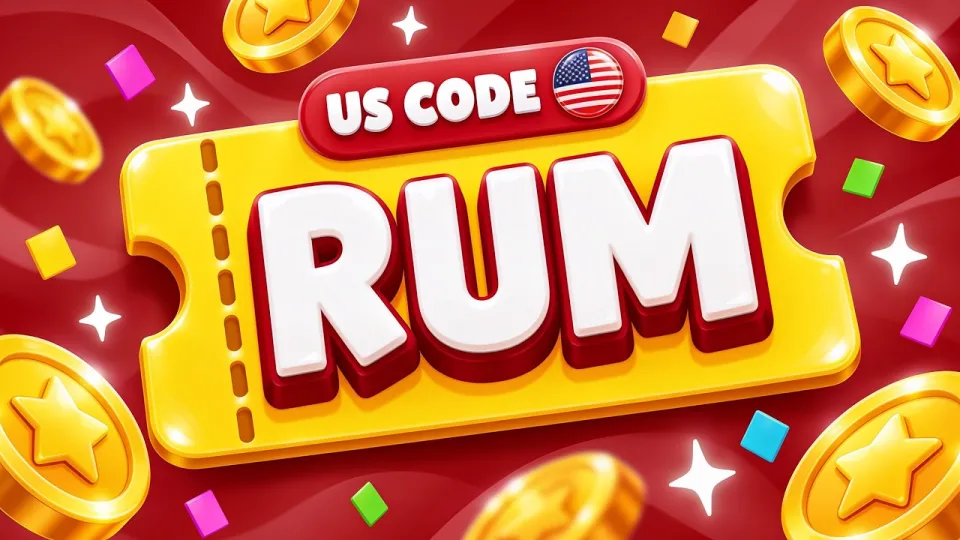
Video: Stake US Promo Code – RUM – How to Enter the Code (Best Stake US Promo Code 2026)
The Stake US promo code is RUM, and it is entered during account registration rather than afterwards. The breakdown from the channel Привет, это - Марик! walks through the sign-up form in four steps: open registration, fill in your details, type RUM into the promo code field and confirm the account. Once the account exists without a code, there is no separate box in the cashier to add one later.
What the Stake US promo code RUM actually is
RUM is a referral-style promo code that is attached to a new Stake US account at the moment of sign-up. It is not a bonus code you redeem for a one-off free bet or a cash voucher; it is a tag on the account itself, which is why the platform asks for it while you are still filling in the registration form. The code is case-sensitive in practice, so type it in capitals: RUM, three letters, no spaces, no punctuation.
Because the code lives on the account, everything that follows from it — any referral arrangement between the player and the person whose code was used — is tied to that account for as long as it exists. That is the reason the entry step matters more than it looks: it is a one-time decision made in a form that most people rush through.
How to enter the Stake US promo code RUM step by step
The code goes into the registration form, and the whole sequence takes four steps. Work through them in order and do not close the tab halfway.
- Open the Stake US site and start the sign-up flow — the registration form, not the login screen.
- Fill in the required details: email address, a password, and any personal information the form asks for in your jurisdiction. Use accurate data, because verification later depends on it.
- Find the promo code field inside the form and type RUM in capital letters. Check that no autocomplete has inserted a space before or after the letters.
- Submit the form and confirm your email if a confirmation message is sent. The code is locked in at the moment the account is created.
If the form offers a checkbox or a link labelled as a referral or promo field, that is the same thing — the code belongs there, not in a support chat and not in the cashier.
Common mistakes when applying a Stake US referral code
Most failed entries come down to typing, timing or the wrong field. The code itself is short, which makes small errors easy and invisible.
- Lowercase letters. Type RUM, not rum. Some forms normalise the input, many do not.
- A trailing space. Copying and pasting from a message often drags a space along with the letters.
- Entering it after registration. There is no promo field waiting in the cashier for an existing account; the code has to be in the form at sign-up.
- Skipping the field entirely. The field is part of the registration form and can be scrolled past if you are moving fast.
- Using a code from an unrelated brand. Stake US codes are not interchangeable with codes for other Stake domains or other operators.
If the form rejects the code, clear the field completely, retype it manually rather than pasting, and submit again before the account is finalised.
What to check before you confirm the registration
Before you press the final button, confirm three things: the code reads RUM, your email address is spelled correctly, and the country you selected matches where you actually are. All three are difficult to change later, and the promo code in particular cannot be added retroactively. Take a screenshot of the completed form if you want a record of what you submitted.
Keep in mind that a promo code is not a guarantee of a specific reward. Any referral benefits, rakeback arrangements or VIP progress tied to the code depend on the operator's current terms, and those terms can differ by state and can change. Read the referral or affiliate terms on the site itself before you assume what the code gives you.
Questions viewers keep raising about Stake US codes
Viewers of the breakdown ask the same handful of things: whether the code can be added later, whether capitalisation matters, and what happens if the field is left blank. The short answers are no, yes, and nothing — an account created without a code simply has no code attached, and support generally will not add one afterwards.
There is also occasional confusion about whether a Stake US code and a Stake code for other regions are the same. They are not; each market has its own sign-up flow and its own code conventions, so a code that works on one domain should not be assumed to work on another. The same applies to codes shared in comment sections and third-party forums: verify the exact string before you type it into a form that you cannot edit later.
Finally, remember that promo codes are only one part of the sign-up. Age and identity verification, deposit limits and responsible gambling tools are separate settings, and none of them are affected by which code you used.
Summary
The Stake US promo code in this breakdown is RUM, entered in four steps during registration: open the sign-up form, complete your details, type the code in capitals and confirm. The critical point is timing — the code is attached when the account is created and cannot be added to an existing account afterwards. The walkthrough comes from the channel Привет, это - Марик!, which demonstrates the entry process on screen. Treat the code as a one-time form field, double-check the spelling, and read the operator's referral terms for what it actually provides.
Key takeaways
- The Stake US promo code shown in the breakdown is RUM, written in capital letters.
- The code is entered during account creation, not after the account is already live.
- The process takes four steps, from opening the sign-up form to confirming registration.
- The field is easy to miss because it sits inside the registration form rather than in the cashier.
- A promo code can only be attached at sign-up, so check the spelling before you submit.
Source: Stake US Promo Code – RUM – How to Enter the Code (Best Stake US Promo Code 2026) · Markdown version
Questions & answers
Can I add the Stake US promo code RUM after I have already created my account?
No. The code is attached to the account at the moment of registration, and there is no promo field in the cashier for an existing account. If you registered without it, the practical option is a new account created with the code, subject to the operator's rules on multiple accounts.
Does the capitalisation of the code matter?
Type it exactly as shown: RUM, in capitals, with no spaces before or after. Some forms normalise input automatically, but many do not, and a lowercase entry or a pasted trailing space is the most common reason a code is rejected.
Is RUM a bonus code for free money or a referral code?
It is a referral-style code tied to the account rather than a one-off voucher. Any benefit that comes with it depends on the operator's current referral terms, which vary by state and can change, so check those terms on the site before assuming a specific reward.
Where exactly is the promo code field on the Stake US sign-up form?
It sits inside the registration form itself, alongside the email, password and personal detail fields, sometimes behind a referral or promo link. Scroll the whole form before submitting rather than looking for it in the deposit or cashier screens.